Method Lab guide
Method Lab is the comparison workbench: a finished analysis goes in, several methods run on its data side by side, and you read fitness, agreement and merged rankings before you commit to one method.
Where it is and who has it
The sidebar's Advanced group opens Method Lab. It works on your own finished analyses and is part of the plans that include it; the pricing page lists which. The lab never asks you to upload anything again.
Open the lab on a finished analysis
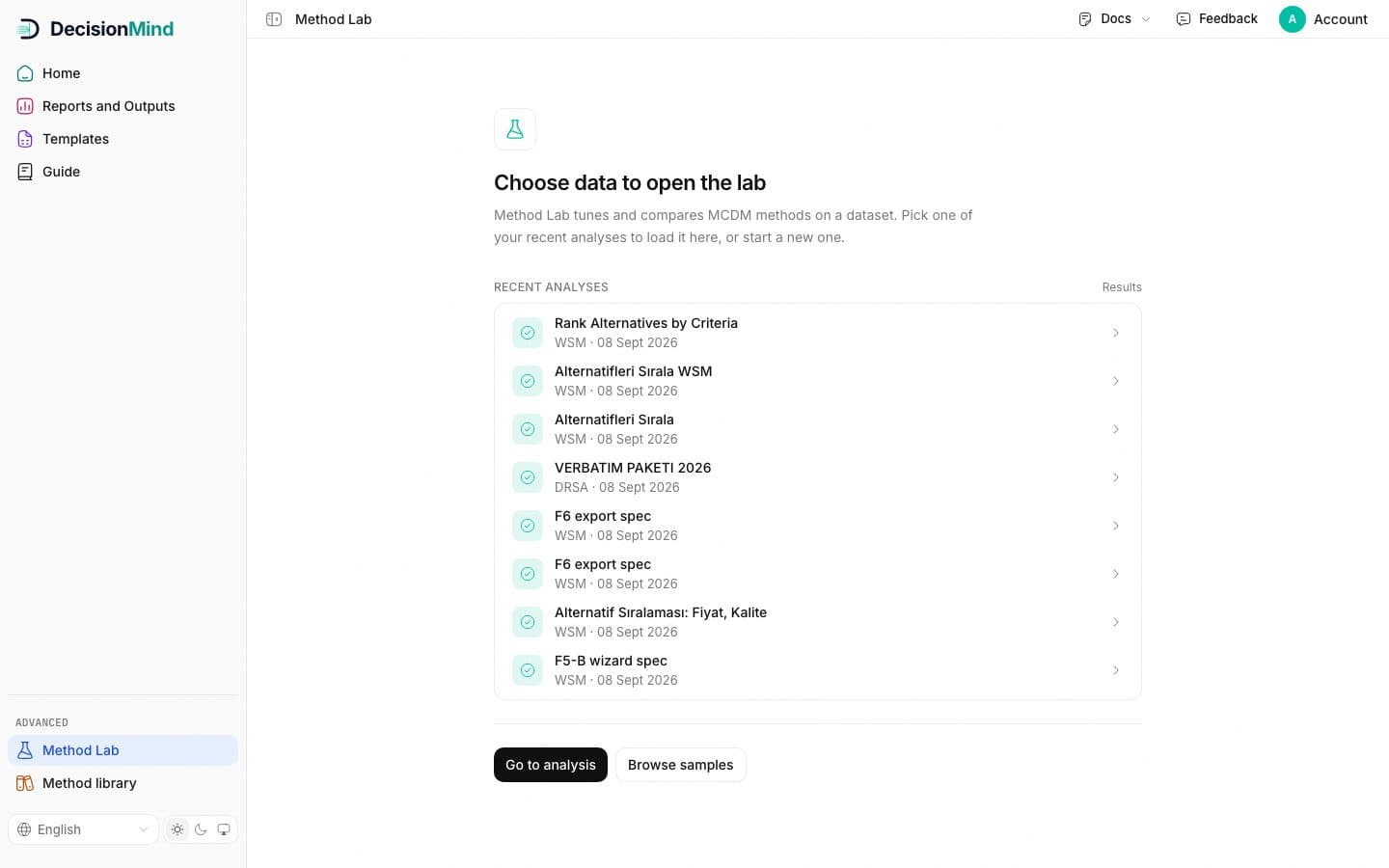
The entry screen lists your recent analyses with their method and date. Pick one; its data, goal and weights flow into the lab. Go to analysis starts a new one first, Browse samples opens the sample data sets.
Read the context bar and the weights
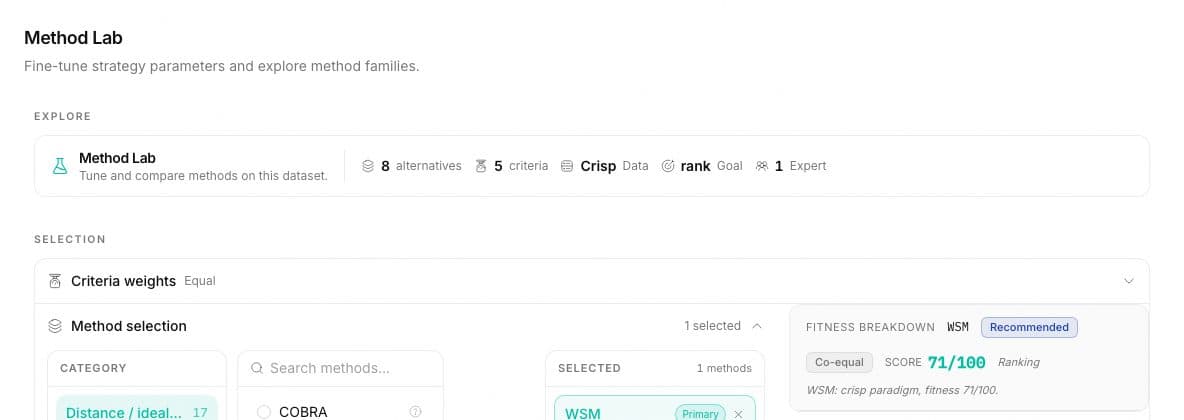
The Explore bar restates what the lab is working on: alternatives, criteria, data type, goal and the number of experts. Under it, Criteria weights shows the weighting the analysis used and lets you switch to another scheme for the comparison.
Pick methods from the pools
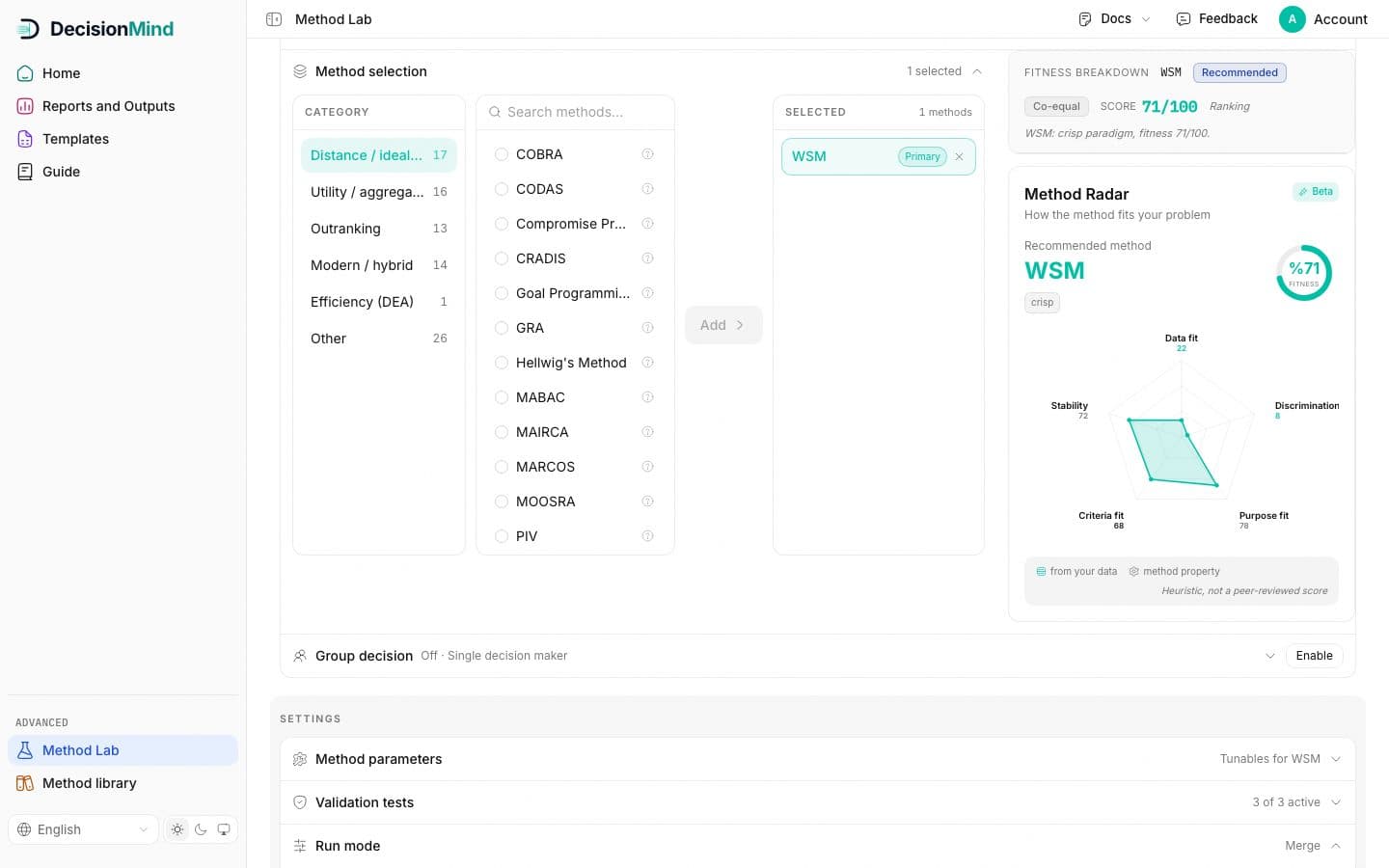
Method selection is three pools: categories on the left with their counts, the methods of the chosen category in the middle with a search box, and the selected methods on the right. Add moves a method across; the first one is marked Primary and the cross removes one. Every listed method fits the data type of the analysis.
Read fitness and the radar
Fitness breakdown scores the highlighted method out of one hundred for your goal and marks the system's recommendation and co-equal candidates. The Method Radar draws five axes: data fit, discrimination, purpose fit, criteria fit and stability. Teal values are measured from your data, gray values are properties of the method itself. The panel says it in its own words: this is a heuristic, not a peer-reviewed score.
Parameters, validation tests, group decision
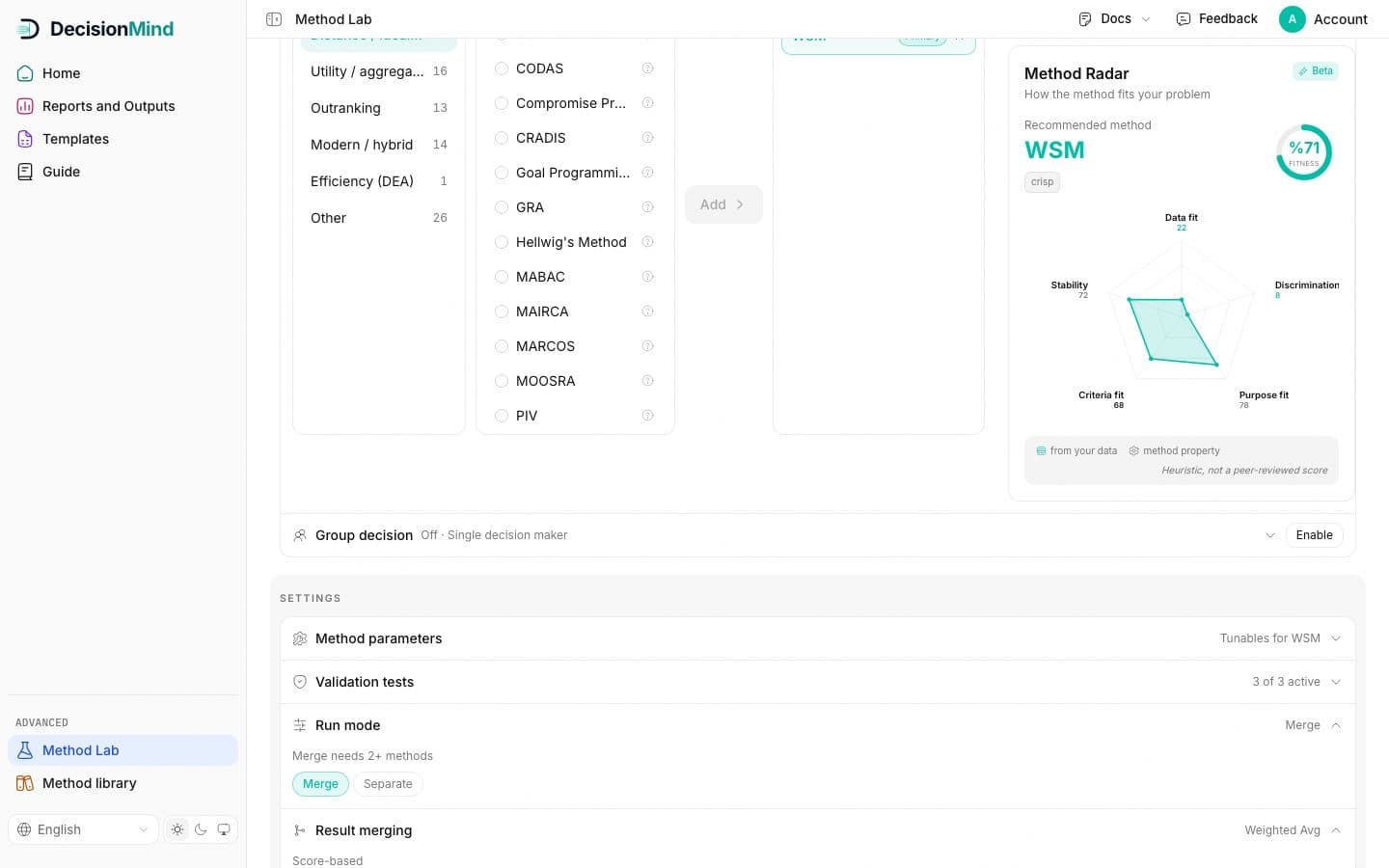
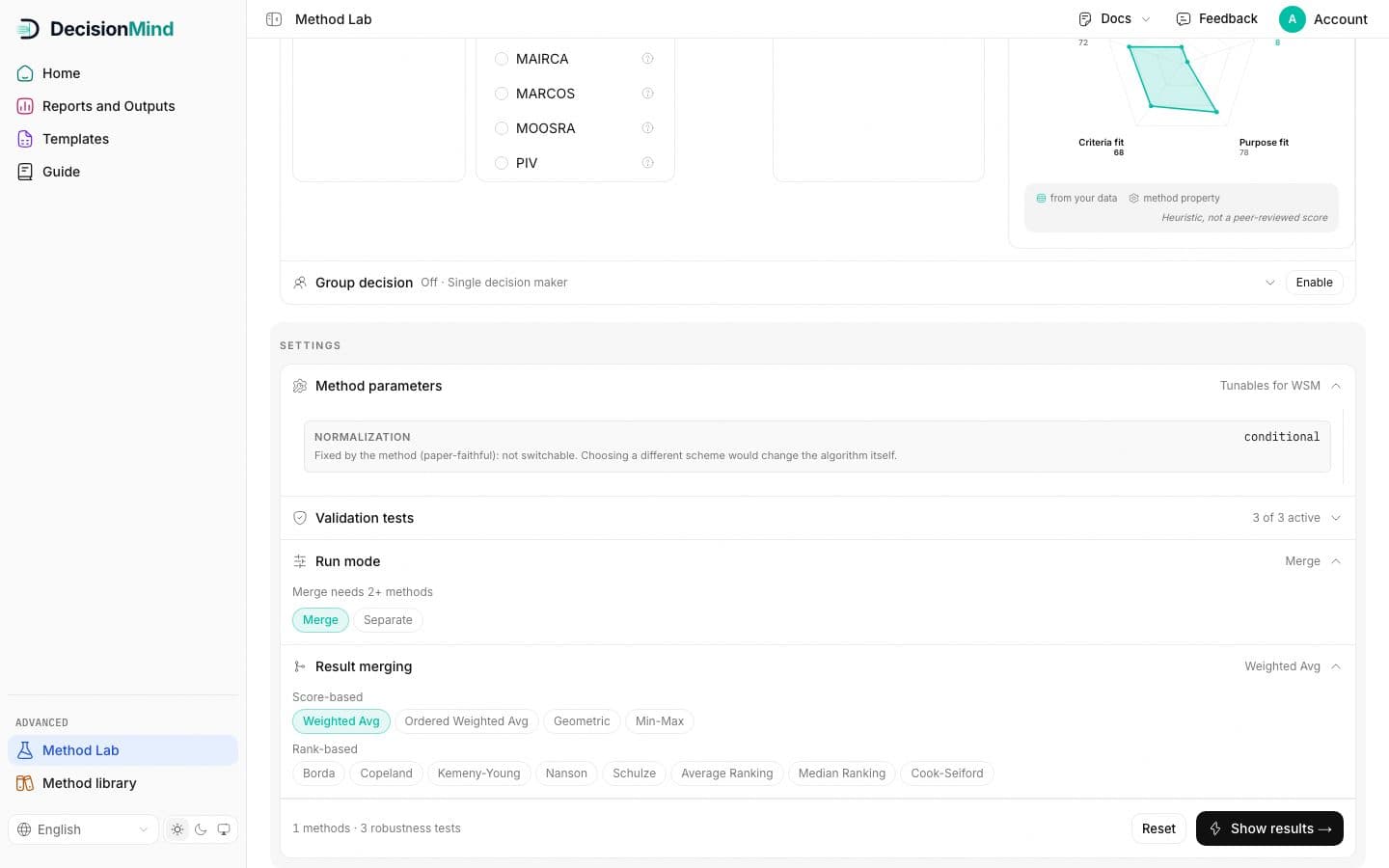
Method parameters opens the tunables the primary method declares in its manifest, with their meaning and defaults. Validation tests toggles the robustness checks that run with the comparison. Group decision, off by default, adds several experts whose judgements the lab combines.
Run mode, merging and results
Run mode is Merge or Separate: Separate keeps one ranking per method, Merge combines them and needs at least two methods. Result merging picks how: score-based averages, or rank-based rules such as Borda, Copeland and Schulze. The bottom bar counts methods and tests; Show results runs the comparison and opens the results with the comparison panel.
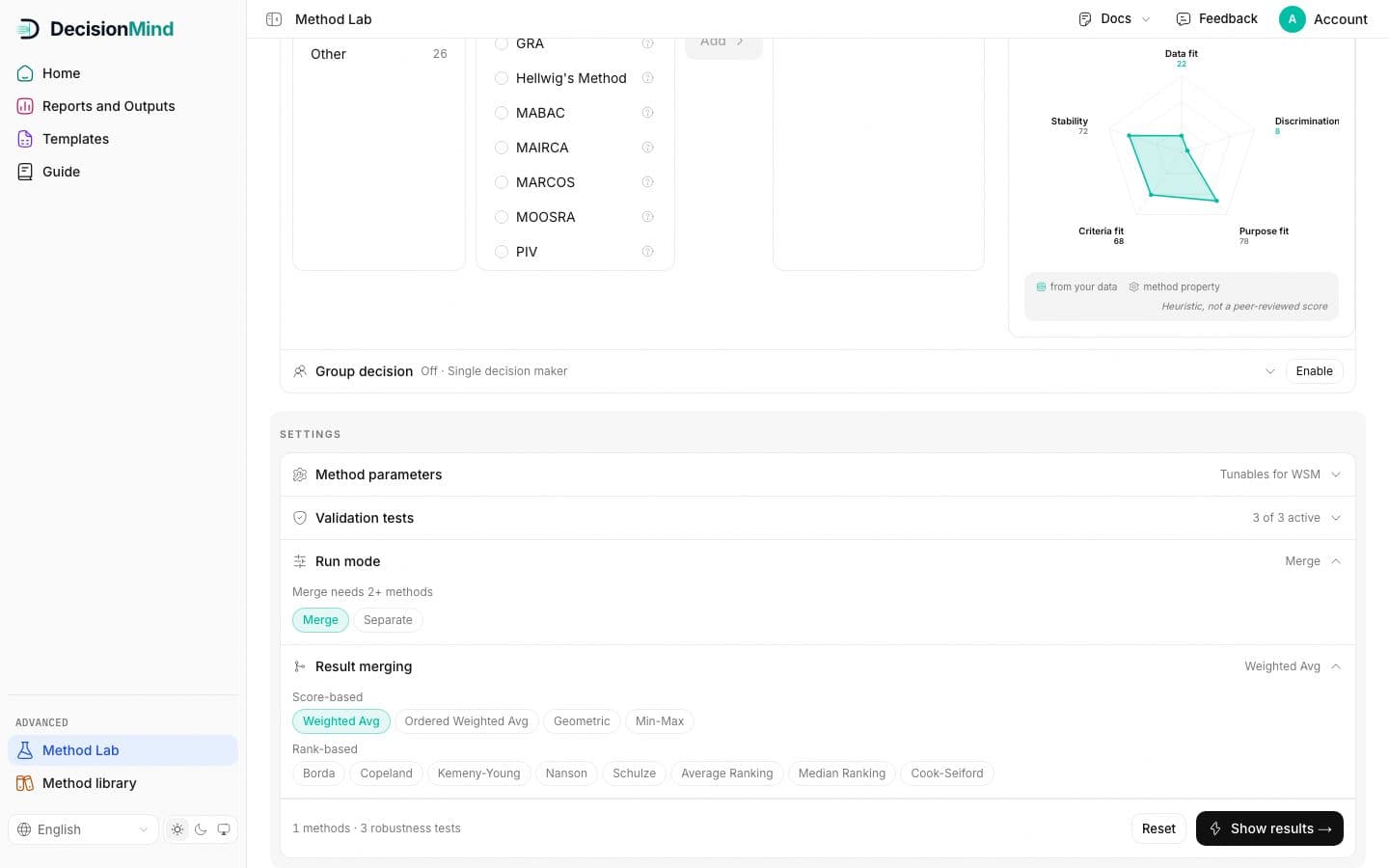
The lab reports what it measured. Fitness and the radar are guidance for choosing, not evidence for a paper; the evidence is the comparison table and the agreement coefficient the run produces.
Keep reading
Method Lab lives in the panel and works on your own analyses.